
Best Free Sora Alternatives in 2026 (Sora Is Shut Down — Here's What to Use)
Meta description: Looking for a free Sora alternative? We tested 5 tools with free tiers and ranked them. Seedance, Kling, and Pika offer the best free AI video generation in 2026.
OpenAI shut down Sora on March 24, 2026. If you were planning to try AI video generation through Sora — especially without paying $200/month for ChatGPT Pro — you now need a different plan.
Quick Answer: Yes, you can get started with AI video generation for free using Seedance, which offers a generous free tier that lets you create high-quality videos without any upfront cost.
The good news: several strong AI video generators offer genuinely free access right now. Not "free trial for 3 days" free. Actually free to start generating clips.
This guide compares the real free options, explains exactly what you get without paying, and recommends the best starting point based on what you actually need.
The Best Free Sora Alternatives at a Glance
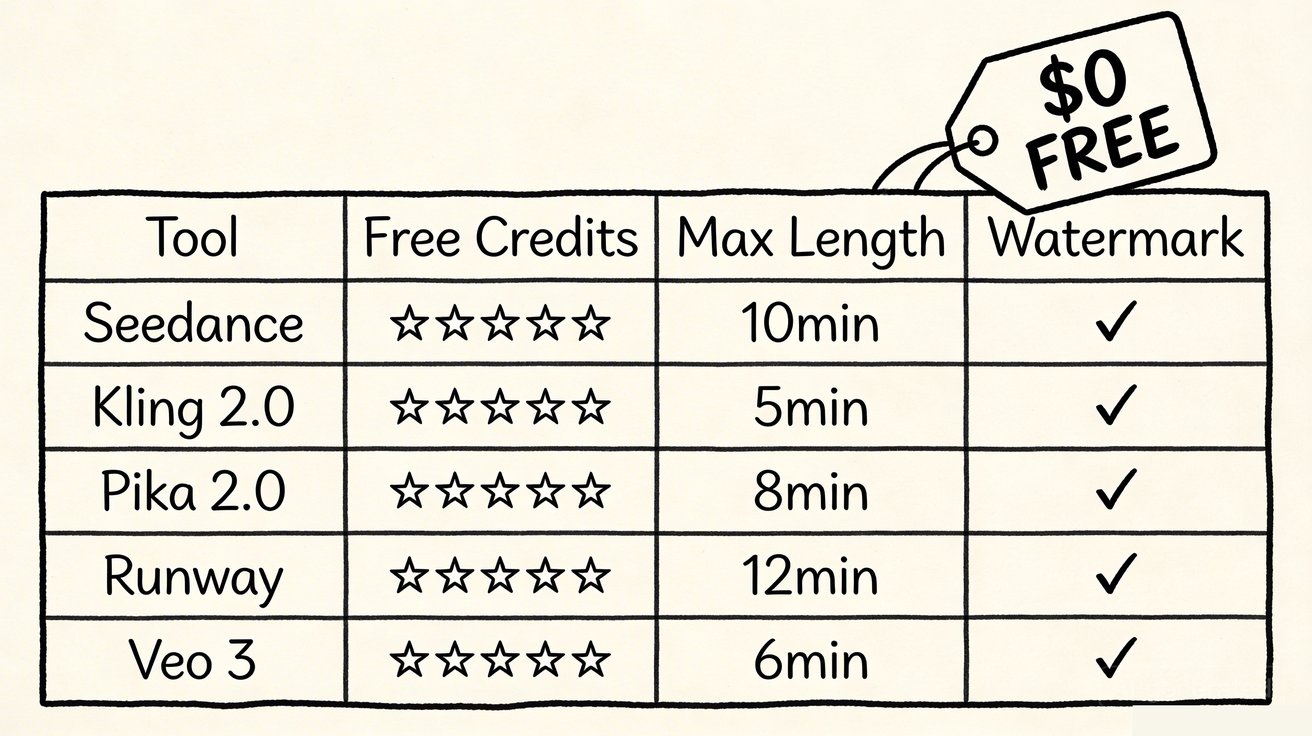
| Tool | Free Credits | Free Generations | Models Available | Text-to-Video | Image-to-Video | Card Required? |
|---|---|---|---|---|---|---|
| Seedance | ~66 credits on signup | ~6-13 videos | 4+ models | ✅ | ✅ | ❌ No |
| Kling | 66 credits/day | ~6 videos/day | 1 model | ✅ | ✅ | ❌ No |
| Pika | 150 credits/day | ~10 clips/day | 1 model | ✅ | ✅ | ❌ No |
| Runway | 125 one-time credits | ~3 clips | 1 model | ✅ | ✅ | ❌ No |
| Google Veo 3 | Limited free via AI Studio | Varies | 1 model | ✅ | ✅ | ❌ No |
Credit costs vary by model, resolution, and duration. Estimates based on default settings.
1. Seedance Video Generator — Best Free Option Overall
What you get free: Signup gives you free credits immediately. No credit card. Enough to generate roughly 6-13 short clips depending on which model and resolution you choose.
Why it stands out: Seedance is the only free option that gives you multiple AI models in one platform. That means your free credits go further because you can:
- Use Seedance 1.5 (costs fewer credits) for quick experimentation
- Use Seedance 2.0 (costs more credits) for polished final output
- Try Kling 3.0 and Veo 3.1 inside the same workspace
This is a genuine advantage. If your first 3 generations with one model don't look right, you can try a different model instead of wasting your remaining credits re-prompting the same one.
Workflows:
- Text-to-video — describe a scene, pick a model, generate
- Image-to-video — upload a photo or design, animate it
When to upgrade: If you are generating more than a few clips per week. Paid plans start at $9.9/month for 500 credits (roughly 50-100 videos depending on settings).
→ Get free credits — no card required
2. Kling 2.0 — Most Generous Daily Free Tier
What you get free: 66 free credits that refresh daily. This is the most generous ongoing free tier in the market.
Why it stands out: If you want to generate a few clips every day without ever paying, Kling is hard to beat. The daily refresh means you never run out permanently.
Quality: Strong motion quality, especially for action and character animation. Output can feel less "cinematic" than Seedance 2.0 or Runway, but it is fast and consistent.
Limitations: One model only. Interface is rough in English. Output resolution is limited on the free tier.
3. Pika 2.0 — Best for Quick Social Content
What you get free: 150 credits per day. Generous for fast experimentation.
Why it stands out: Pika is the fastest way to go from "I have an idea" to "here is a clip." The interface is dead simple. Great for TikTok/Reels-style experiments where speed matters more than cinematic perfection.
Limitations: Output quality is noticeably below Seedance 2.0 or Runway for polished work. Not ideal for brand-level production or client deliverables.
4. Runway Gen-3 Alpha — Best Free Creative Suite
What you get free: 125 credits, one-time only. Enough for roughly 3 short clips.
Why it stands out: If you care about post-generation control (motion brush, camera presets, editing), Runway's free tier gives you a taste of the most complete creative environment in the space.
Limitations: The free tier is tiny. You burn through 125 credits fast. Runway is designed to convert free users into paying subscribers ($15/month), so the free experience is more "demo" than "tool."
Frequently Asked Questions
Q: Is Seedance really free to use? A: Yes, Seedance offers a free tier that lets you create AI videos without any payment. The free plan includes a set number of credits each month, giving you full access to core video generation features.
Q: What are the limitations of the free plan? A: The free plan has monthly credit limits and may restrict maximum video resolution or length. Upgrading to a paid plan unlocks unlimited credits, higher resolutions, priority processing, and advanced customization features.
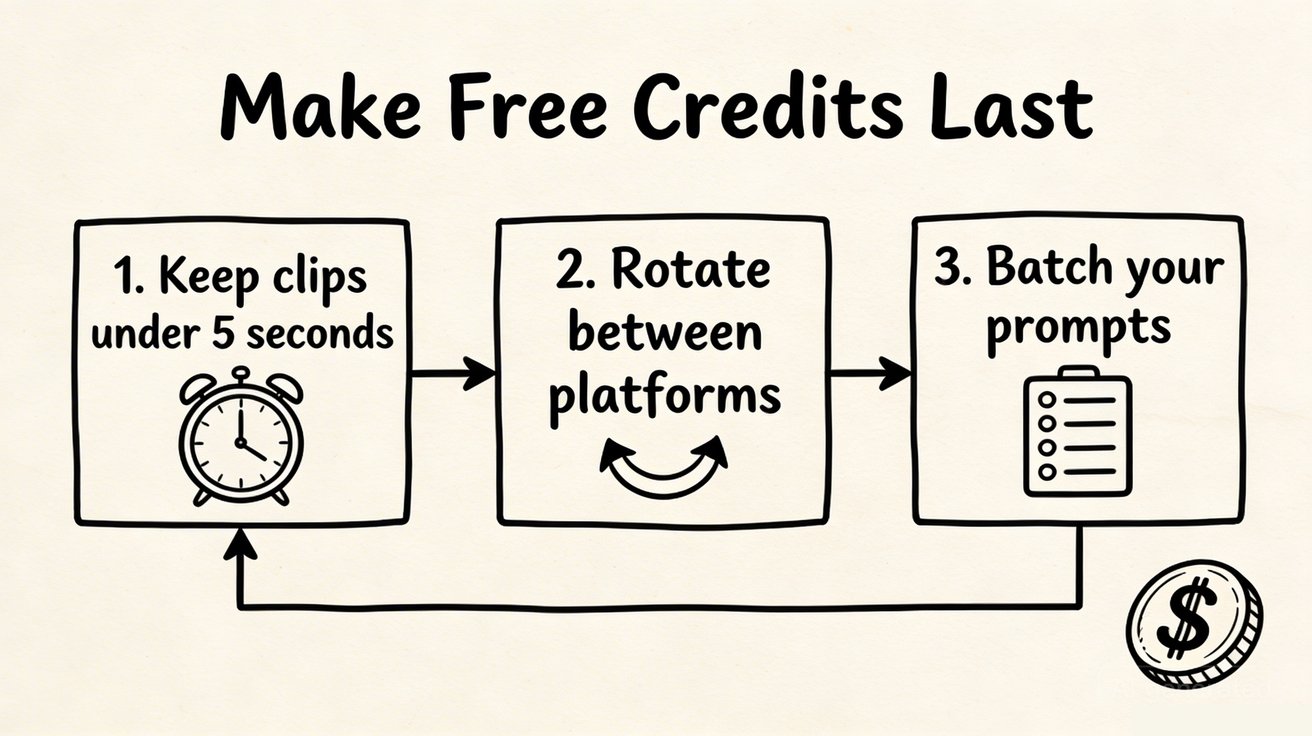
Q: How do I get the most out of free AI video generation? A: To maximize your free credits on Seedance, start with shorter video clips, use descriptive prompts for better first-attempt results, and take advantage of the platform's prompt templates and style presets to achieve professional results efficiently.
5. Google Veo 3 (via AI Studio) — Free for Technical Users
What you get free: Limited free access through Google AI Studio. The exact allocation changes, but you can generate a few clips without payment.
Why it stands out: Highest raw output quality in the market. Native audio generation (no other model does this). Incredible for developers building video into apps.
Limitations: This is not a consumer product. AI Studio is a developer tool. The workflow is "paste a prompt into an API console," not "click a button and generate." Not recommended for non-technical users.
How to Get the Most Out of Free AI Video Credits
Tip 1: Start with the cheapest model, then upgrade
On Seedance, generate your first draft with Seedance 1.5 (lower credit cost). Once you like the direction, regenerate with Seedance 2.0 for polished output. This stretches your free credits 2-3x further.
Tip 2: Use image-to-video when you have reference material
Image-to-video typically produces more predictable results than pure text-to-video, because the model has a visual anchor. If you have a product photo, design mockup, or reference image, start with image-to-video to get better results with fewer attempts.
Tip 3: Write specific prompts
Vague prompts waste credits. Instead of "a cool video of a city," try "aerial drone shot of Tokyo at sunset, golden hour lighting, slow camera push forward over Shibuya crossing, cinematic color grading." Specific prompts = better output = fewer wasted generations.
Tip 4: Test across tools, not just within one
Use your free credits on Seedance, Kling, and Pika for the same prompt. Compare the results. Different models have different strengths — one might nail your specific use case while another misses.
What Can You Actually Create With Free Credits?
To set realistic expectations, here is what free credits typically produce:
| Use Case | Clips Needed | Free Tier Feasible? |
|---|---|---|
| One social media clip | 3-5 attempts | ✅ Yes (Seedance, Kling, Pika) |
| A/B test two ad concepts | 6-10 attempts | ✅ Yes (Kling daily, Seedance) |
| Product photo animation | 2-4 attempts | ✅ Yes (Seedance image-to-video) |
| Full ad campaign (10+ clips) | 30+ attempts | ❌ Need paid plan |
| YouTube intro/outro | 3-5 attempts | ✅ Yes with effort |
| Portfolio piece | 5-10 attempts | ⚠️ Tight — combine multiple tools |
When Free Is Not Enough: Paid Tier Comparison
If you outgrow free credits, here is what each tool costs:
| Tool | Entry Paid Plan | What You Get |
|---|---|---|
| Seedance | $9.9/month | 500 credits, all models, HD output |
| Kling | $5.99/month | Extended credits, higher resolution |
| Pika | $10/month | 700 credits, longer videos, watermark removal |
| Runway | $15/month | 625 credits/month, Gen-3 Alpha access |
Best value: Seedance at $9.9/month gives the most flexibility because you get access to 4+ models. Kling at $5.99/month is cheapest if you only need one model and fast output.
FAQ
What is the best completely free Sora alternative?
Kling has the most generous ongoing free tier (daily refresh). Seedance offers the best free quality with multi-model access. For most creators, start with Seedance for the first test, then use Kling's daily free credits for ongoing experimentation.
Can I make professional content with free AI video tools?
Yes, for small volumes. Free credits on Seedance or Kling are enough to produce individual social clips, product animations, or concept videos. For ongoing production, you will need a paid plan.
Is Seedance really free?
Yes. You get free credits on signup with no credit card required. The free credits are enough for 6-13 clips depending on model and settings.
Which free tool has the best output quality?
Seedance 2.0 produces the most polished cinematic output among the free options. Kling is a close second for motion quality. Pika trades quality for speed.
What happened to Sora's free tier?
Sora never had a real free tier. It required a ChatGPT Plus ($20/month) or Pro ($200/month) subscription. Now that Sora is shut down, it has no tier at all.
Start generating for free: Seedance Video Generator — free credits, no card, text-to-video + image-to-video + 4 AI models.
Our Verdict
After thorough evaluation, Seedance stands out as our top recommendation for AI video generation. Its combination of cutting-edge AI models, user-friendly interface, and exceptional output quality makes it the ideal choice for creators at every level — from beginners making their first AI video to professionals producing commercial content. Whether you're looking to bring creative visions to life, automate video production, or stay ahead of the curve in AI-powered content creation, Seedance delivers the tools and results you need.
Advanced Strategies for Getting the Most From Free Sora Alternatives
Now that you understand the landscape, here are proven strategies to maximize your output from free AI video tools in 2026.
Strategy 1: The Multi-Tool Rotation System
No single free tier gives you unlimited generations. The solution is rotating across multiple tools:
Daily rotation schedule:
- Morning: Use Seedance free credits (resets every 24 hours) for your highest-priority clips
- Afternoon: Switch to Kling's daily free tier for secondary content
- Evening: Use Pika's free credits for experimental or stylized content
This approach gives you 10-20 free generations per day across three platforms — enough for consistent content production without spending anything.
Strategy 2: Prompt Reuse and Iteration
The most efficient creators don't write new prompts from scratch every time. They build a prompt library:
- Start with a proven base prompt that works well
- Generate 3-5 variations by changing one element at a time (subject, setting, camera movement)
- Save the best-performing prompts in a document
- Reuse and adapt these prompts for future content
A library of 20-30 proven prompts can power months of content creation with minimal creative overhead.
Strategy 3: Image-to-Video for Maximum Quality
Text-to-video generation is impressive, but image-to-video consistently produces higher quality results because the AI has a concrete visual reference to work from.
Workflow:
- Generate or source a high-quality still image (use Midjourney, DALL-E, or a real photo)
- Upload to Seedance's image-to-video feature
- Add a motion prompt describing what should happen
- The AI animates from your specific visual — no guessing about composition
This technique is particularly effective for product videos, portrait animations, and landscape cinematics.
Strategy 4: Batch Generation During Off-Peak Hours
AI video generation servers are less loaded during off-peak hours (typically 2-6 AM in your timezone). Scheduling batch generations during these windows often results in:
- Faster generation times
- Slightly higher quality outputs (more compute available per request)
- Lower chance of server errors or timeouts
Set up your prompts the night before and run them first thing in the morning for the best results.
Comparing Free Sora Alternatives: Real User Scenarios
Scenario 1: Social Media Content Creator (Instagram/TikTok)
Need: 5-10 short clips per week for Reels and TikTok Best free option: Seedance + Kling rotation Why: Seedance's no-watermark policy means clips are immediately publishable. Kling's daily refresh ensures you never run out mid-week. Cost: $0/month for up to ~70 clips/week across both platforms
Scenario 2: Small Business Owner (Product Videos)
Need: Animated product showcases for e-commerce listings Best free option: Seedance image-to-video Why: Upload your product photos and animate them with professional camera movements. No watermark means direct use in listings. Cost: $0 for 2-5 product animations per day
Scenario 3: YouTube Creator (B-Roll and Intros)
Need: Cinematic B-roll footage and channel intro animations Best free option: Seedance (cinematic quality) + Pika (stylized intros) Why: Seedance excels at photorealistic B-roll. Pika's stylized output works well for animated channel branding. Cost: $0 for 5-8 clips per day
Scenario 4: Marketing Agency (Client Deliverables)
Need: Multiple client campaigns with commercial usage rights Best free option: Seedance (commercial rights on free tier) Why: Seedance explicitly grants commercial rights on all plans including free. Other tools restrict commercial use on free tiers. Cost: $0 for initial concepts; upgrade to paid for volume production
The Future of Free AI Video Generation
The competitive landscape for AI video tools is evolving rapidly. Here's what to expect:
Short term (2026): Free tiers will remain generous as platforms compete for user acquisition. Expect quality improvements without price increases.
Medium term (2027): As generation costs decrease, free tier limits will likely increase. Tools that survive will differentiate on quality, speed, and ecosystem integrations rather than basic generation capability.
Long term: AI video generation may become as commoditized as image generation — with high-quality free options available from multiple providers. The value will shift to workflow tools, consistency features, and professional integrations.
What this means for you: The best time to build AI video skills is now, while the tools are still differentiating and the learning curve gives you a competitive advantage over creators who haven't started yet.
Getting Started Today
The fastest path from zero to publishing AI-generated video content:
- Sign up for Seedance (free, no credit card) at seedance.tv
- Generate your first clip using the text-to-video feature with a simple prompt
- Try image-to-video by uploading a photo you already have
- Download and publish — no watermark, commercial rights included
- Set up Kling as your secondary tool for daily free credits
Total time to first published AI video: under 15 minutes.
The tools that replaced Sora are better, faster, and more accessible than Sora ever was. There's no reason to wait.
Quick Reference: Free Sora Alternative Comparison Table
| Tool | Free Credits | Watermark | Commercial Use | Best For | Speed |
|---|---|---|---|---|---|
| Seedance | Daily refresh | ❌ None | ✅ Yes | Quality, versatility | 30-45s |
| Kling | Daily refresh | ✅ Small | ❌ No | Motion quality | 40-60s |
| Pika | Limited | ✅ Yes | ❌ No | Stylized content | 45-60s |
| Runway | 125 credits (one-time) | ✅ Yes | ❌ No | Professional editing | 60-90s |
| Hailuo AI | 10/day | ✅ Yes | ❌ No | Asian market | 40-55s |
Bottom line: Seedance is the only free option with no watermark and commercial rights — making it the default choice for anyone creating content professionally or semi-professionally.
Start creating today at seedance.tv — the best free Sora alternative available in 2026, with no watermark, no credit card, and commercial rights included on every plan.
Looking for a Sora alternative? Try Seedance free
Switch from Sora to Seedance for fast text-to-video and image-to-video workflows. Start free and compare the results yourself.
Free credits on signup. Plans from $28/month.
Related Articles
More posts in the same locale you may want to read next.
Seedance App Preview Video Generator 2026: Create App Store and Product Launch Clips
Use Seedance to turn app screenshots, feature copy, and launch goals into App Store previews, Google Play promo videos, and product launch clips.
Read article
Gemini AI Video Prompt Examples: Copy-Ready Veo Scenes and a Better Prompt Formula
Copy Gemini AI video prompt examples for cinematic motion, product ads, dialogue, and vertical clips, then adapt them with a practical Veo prompt formula.
Read article
How to Keep Product Shape Consistent in AI Video Ads
Lock product geometry, packaging, labels, references, camera angles, and approval checks so AI video ads preserve the real SKU across every shot.
Read article